FEAR Perseus Mandate-HATRED
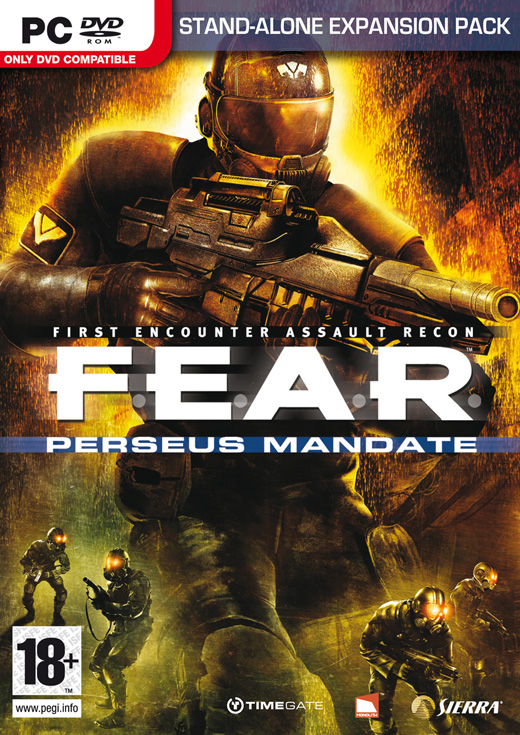
• Windows® XP, x64 or 2000 with latest service pack installed or Windows Vista™
• DirectX® 9.0c (August 2005 Edition) or higher
• Pentium® 4 1.7 GHz or equivalent processor (2.2 GHz for Windows Vista™)
• 512 MB of RAM or more (1GB for Windows Vista™)
• 64 MB GeForce® 4 Ti or Radeon® 9000 video card (GeForce® 6600 or Radeon® 9800 video card or higher for Windows Vista™)
• 16 GB free Hard Drive Space for installation of all 3 games
• Additional hard drive space needed for a swap file and saved game files
• DVD-ROM drive
• 16-bit DirectX® 9.0-compliant sound card with support for EAX™ 2.0
• Broadband or LAN Connection for Multiplayer games
• Mouse • Keyboard
.
------------------------------------------------------------------------------------------------
.
Serial
TAP6-WAB6-CAG3-BES3-9883
GAS9-PAG7-WEW3-MES7-7883
TAC7-WAB6-CEW3-MES7-9883
CEG9-BAB6-CAG3-MES7-9983
GAW8-GEG3-WAT3-MES7-7883
GAW8-PAG7-WEC3-MES7-7983
Don't Write It , But Copy and Paste
.
----------------------------------------------------------------------------------------------
.
Size : 3.9GB
Format : ISO
Language : English

OR
...
OR
...
OR
Join Parts By HjSplit
...
...
.
Enjoy
Labels: Games
posted by Tito at
8:34 PM



2 Comments:
how do I unpak the iso files , I have tried with powerISO, but no luck when I try to burn it ,, I downloaded the files from your flyupload link. Any help would be great.. Thanks
So Sorry To Be That Late
, Power iso should work to extract the iso file (winrar prob. works too)
Instal :
1. after extraction iso you will find one of this
A. AutoRun.exe (Just D.Click)
B. Image of mds or mdf [You Will Need (daemon) Program to mount the image]
2. Copy and Paste any of the serials
3. after you finish the instal
you will find the crack with the files extracted from the iso
copy the crack and paste it in the directory you choosed while instaling (it will be at program files unless you choosed another place)
4. Run The Game and have fun.
Post a Comment
Subscribe to Post Comments [Atom]
<< Home